Clean Up Resources
Overview
⚠️ Warning: Setting up budgets is an important activity when managing resources and operating in the AWS cloud computing environment. However, if you are only practicing in a lab environment to understand the features, you should perform the resource cleanup operations below to delete the alert levels you have set up, avoiding unnecessary notifications.
Delete AWS Budgets
- Log in to AWS Management Console and find AWS Billing and Cost Management service in the search bar.
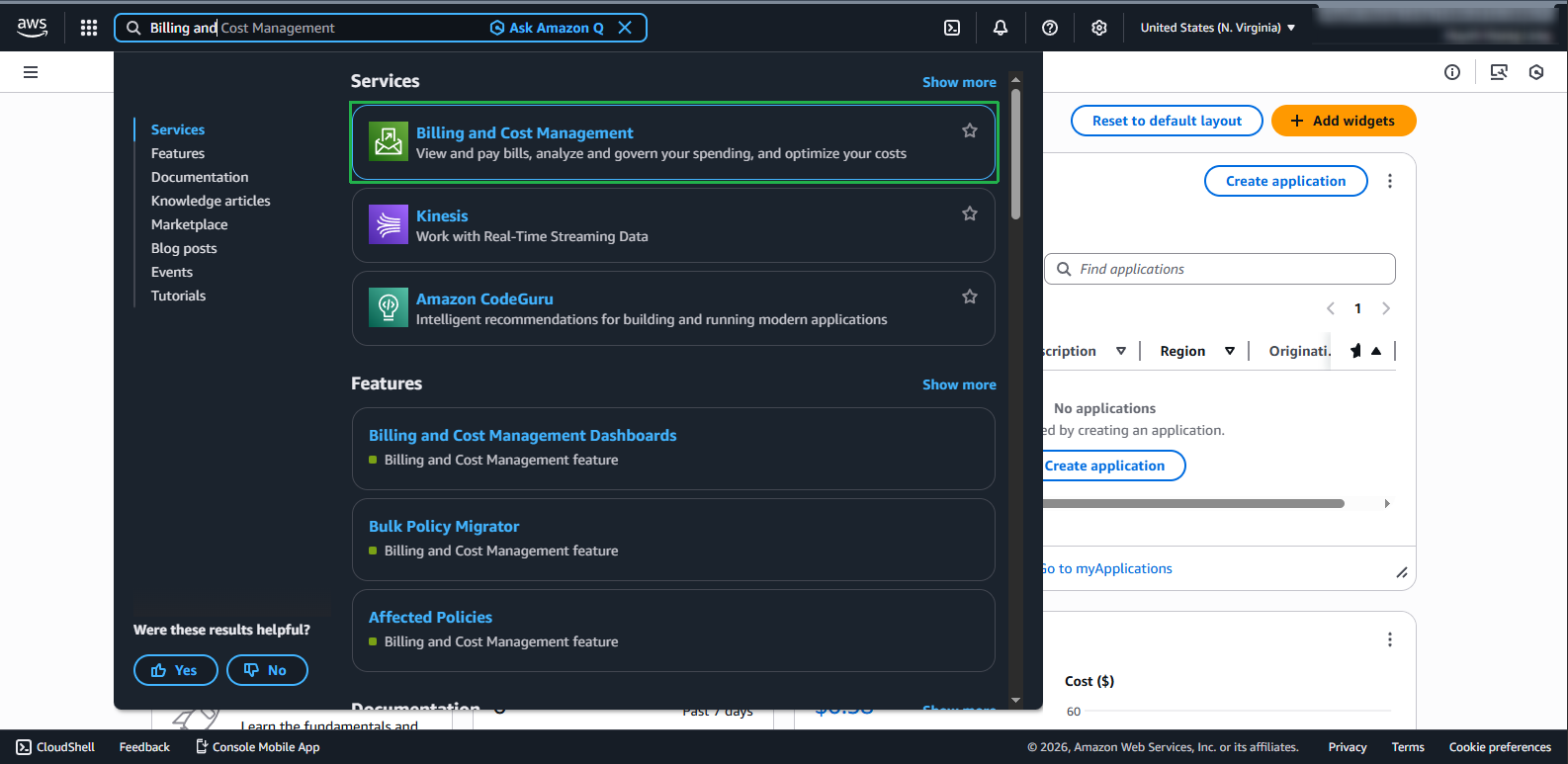
On the management page, select Budgets from the left menu.
Delete budget:
- Select the Budget to delete
- Select Action
- Click the Delete button
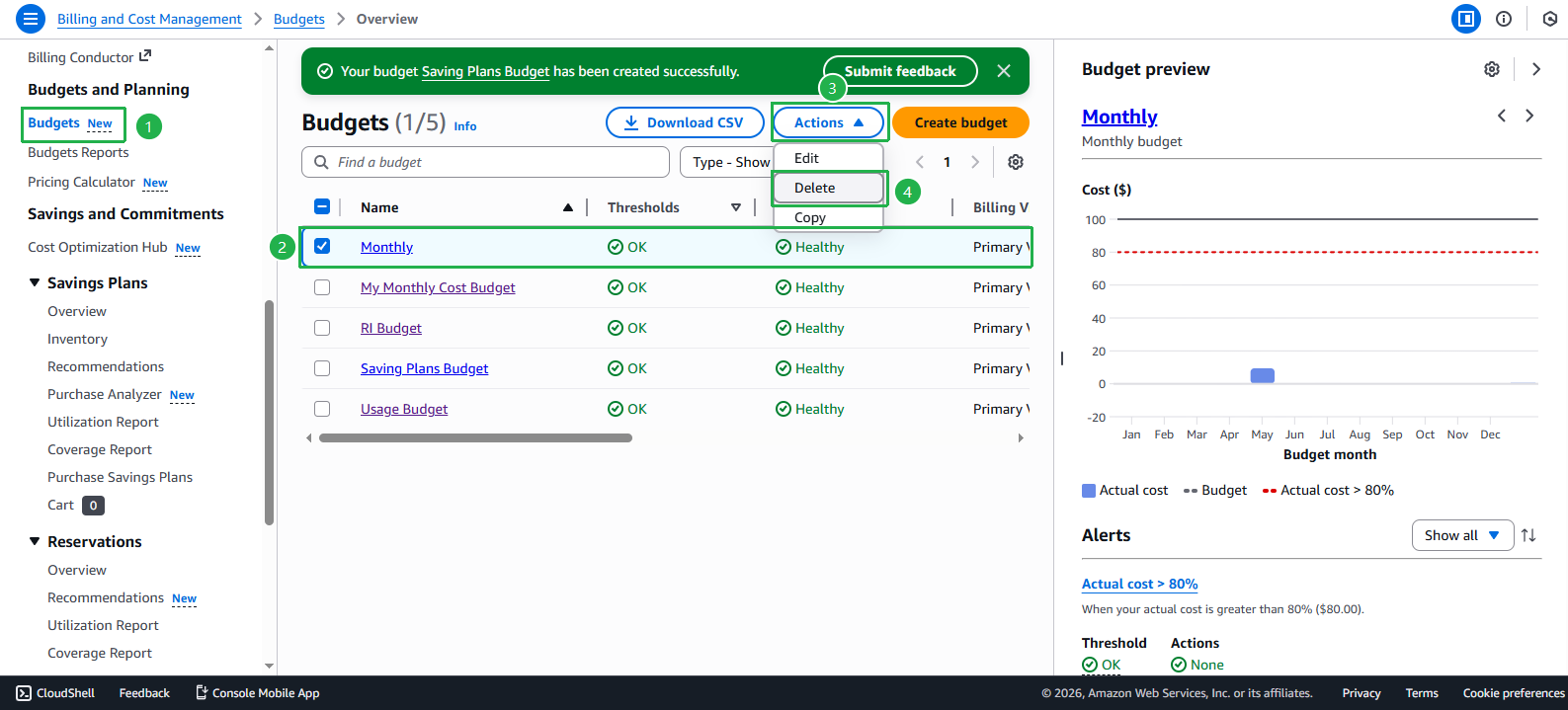
In the confirmation dialog, click Delete to complete the budget deletion.
Repeat the above steps with all remaining Budgets you created during the practice.
ℹ️ Information: Deleting AWS Budgets does not affect resources running in your AWS account. Budgets are only monitoring and alerting tools, they do not directly control resource usage.
💡 Pro Tip: If you plan to use AWS in a real environment, consider setting up budgets appropriate to your actual needs after completing this lab.