Create Savings Plans Budget
Introduction
In this section, you will practice creating a Savings Plans Budget in AWS Billing and Cost Management to monitor and manage your Savings Plans commitments effectively.
ℹ️ Information: Since you will not be using Savings Plans within the scope of these labs because Savings Plans require upfront commitment, this lab is for demonstration purposes only. Therefore, you can either follow the instructions or just review the steps.
ℹ️ Information: If you have already completed the Create RI Budget section, you will find that the Savings Plans Budget creation process is very similar. The main difference is that Reservation Budget relates to Reserved Instances, while Savings Plans Budget relates to Savings Plans commitments.
Initialize Savings Plans Budget
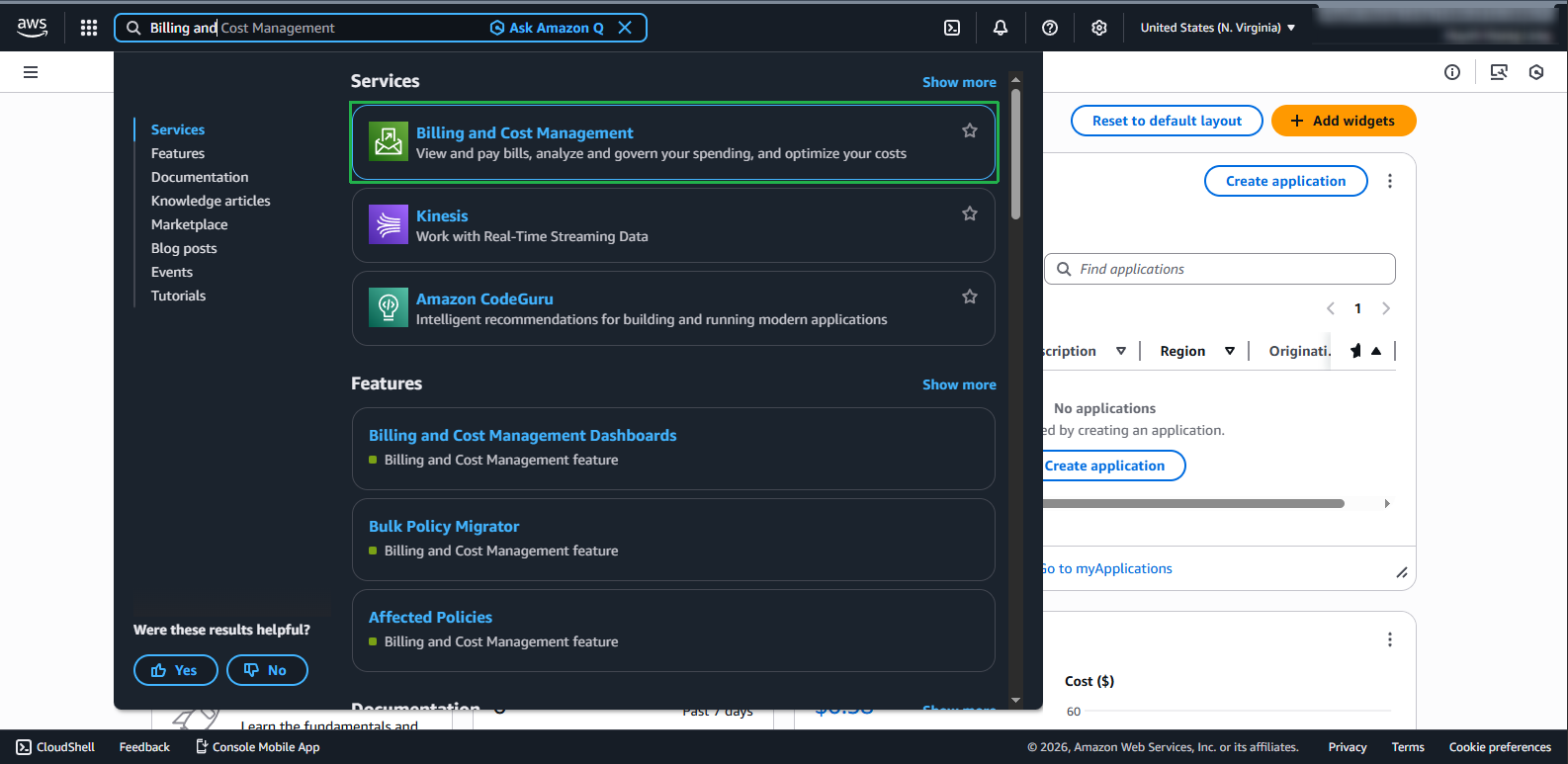
- Log in to AWS Management Console and find AWS Billing and Cost Management service in the search bar.
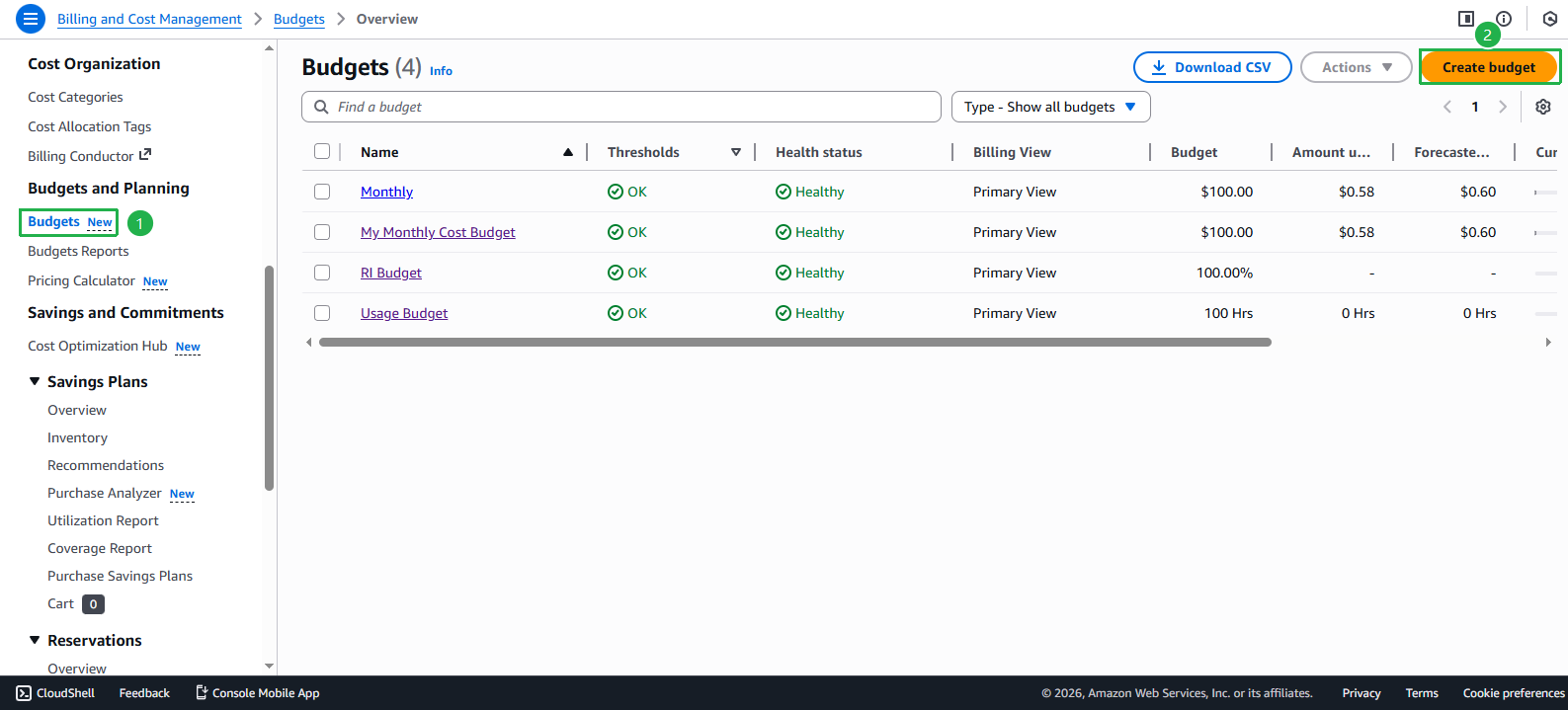
- On the management page, select Budgets from the left menu. Click the Create budget button
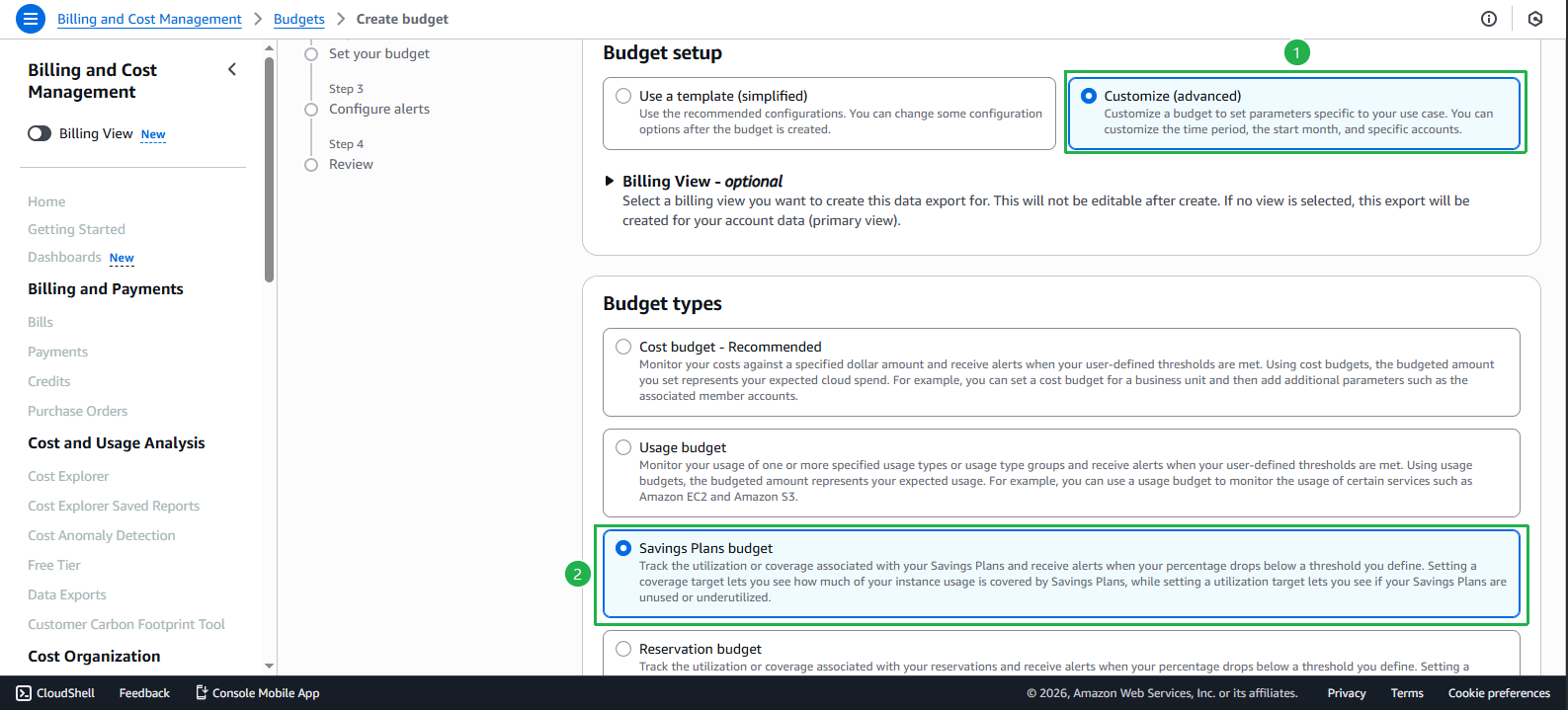
Configure Budget setup:
- Select Customize
- Under Budget types, select Savings Plans budget
- Click Next
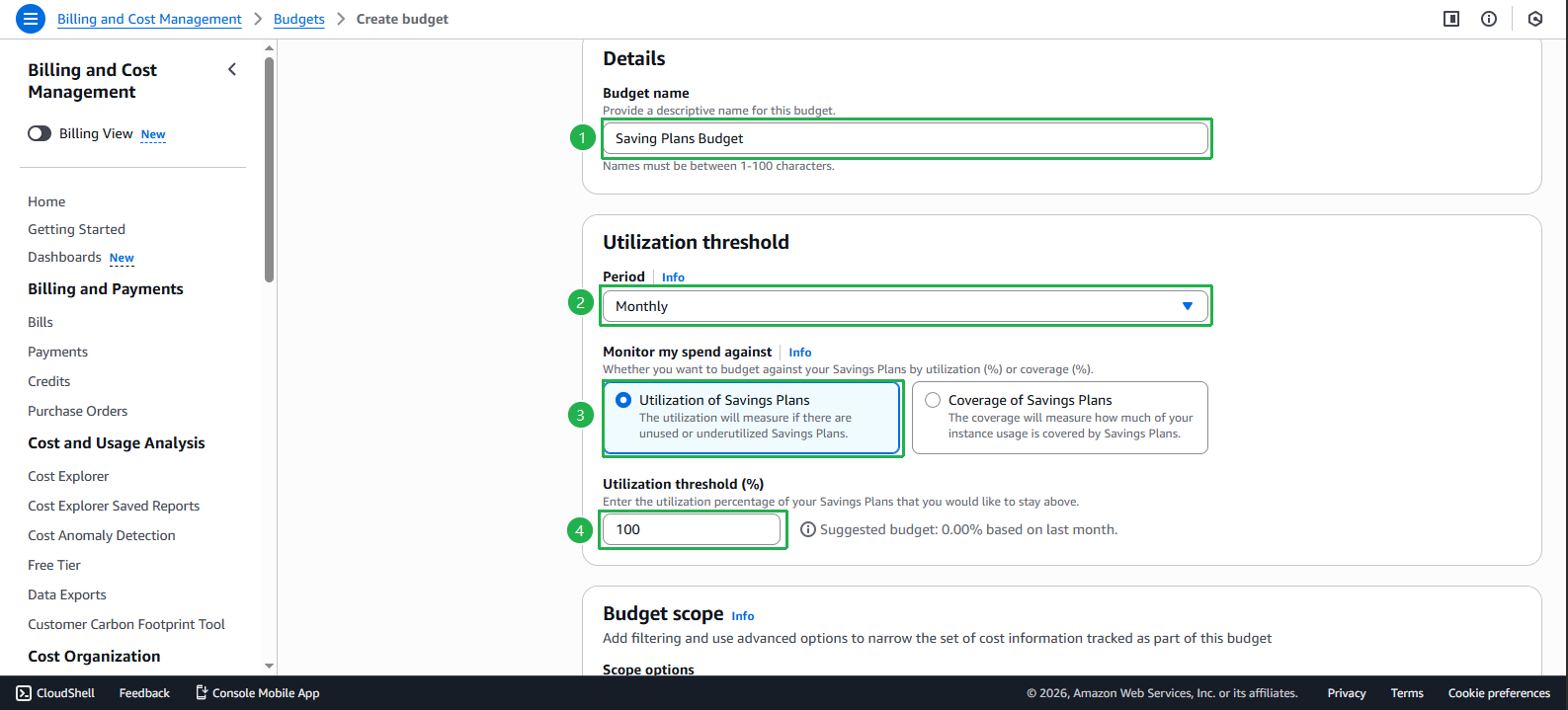
In the Details section, enter a name for your budget in the Budget name field.
Configure Utilization threshold - the usage threshold for Savings Plans.
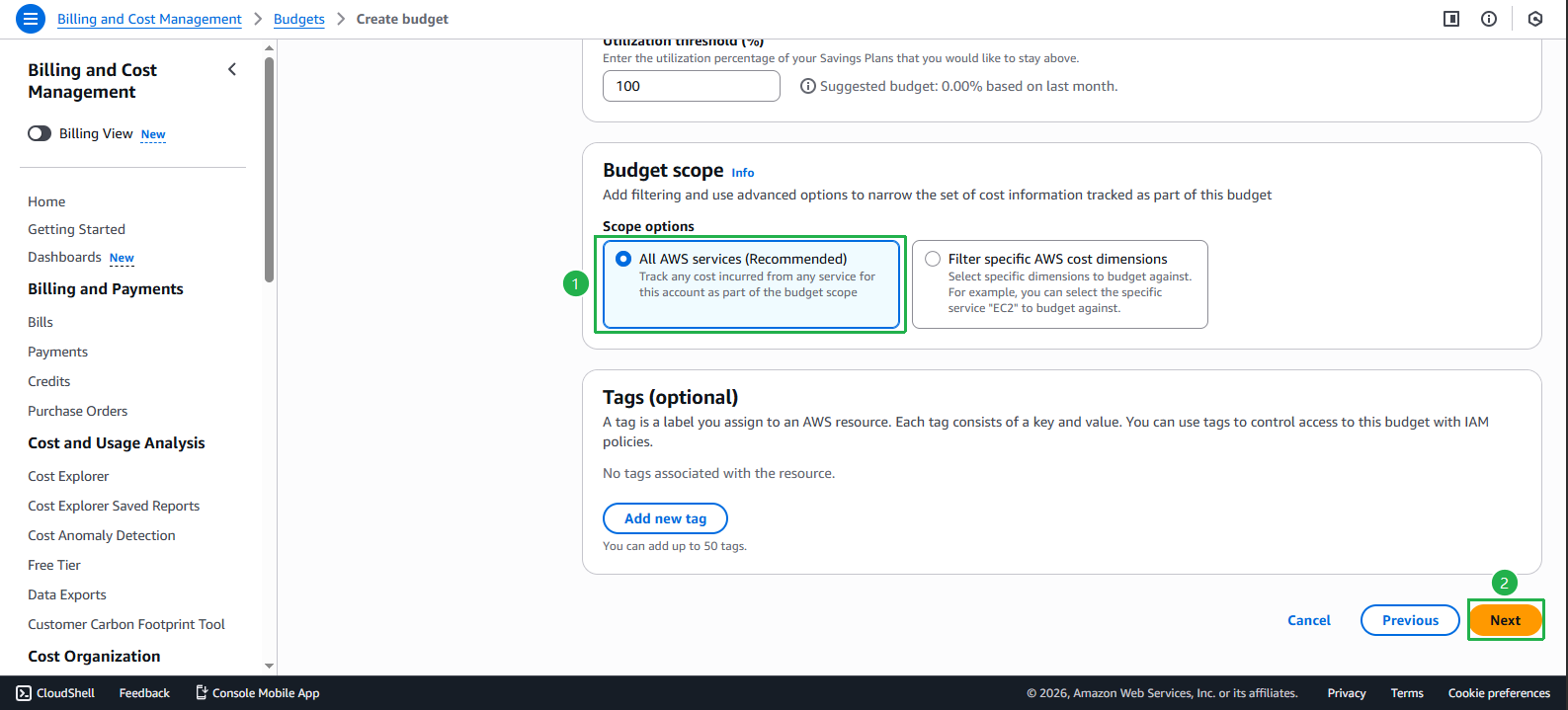
- In Budget scope keep the default option. Select Next
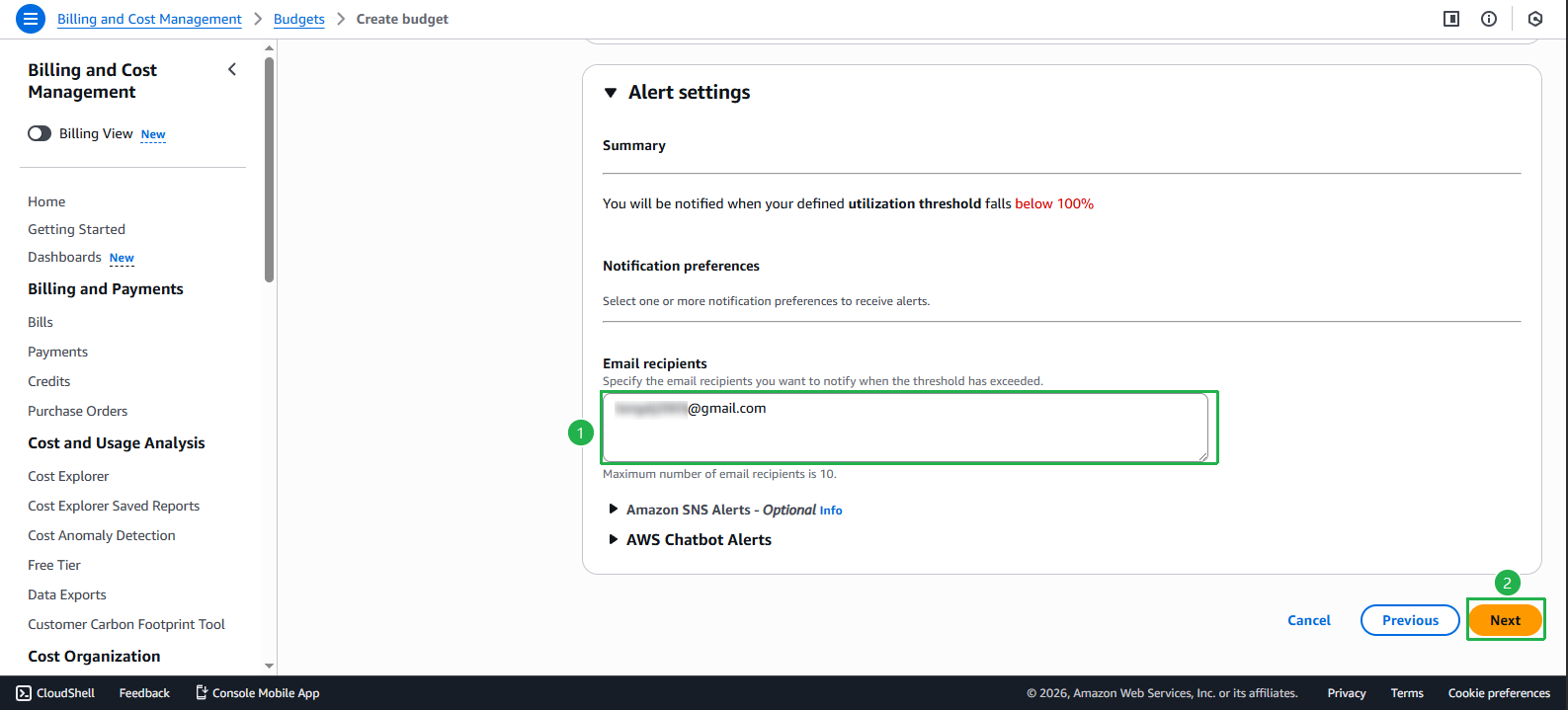
- In the Alert setting section, enter email address. Select Next
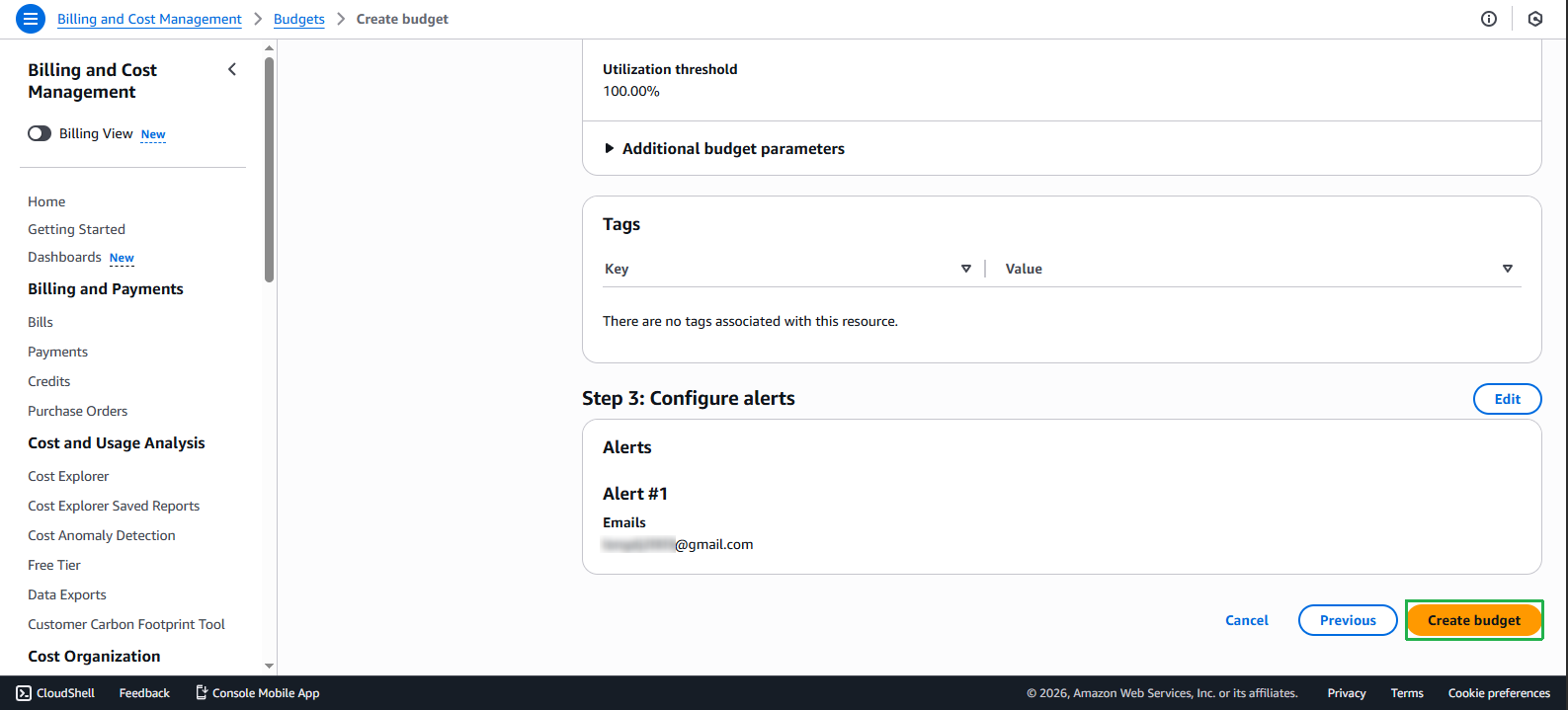
- Review the settings and click Create budget to complete.
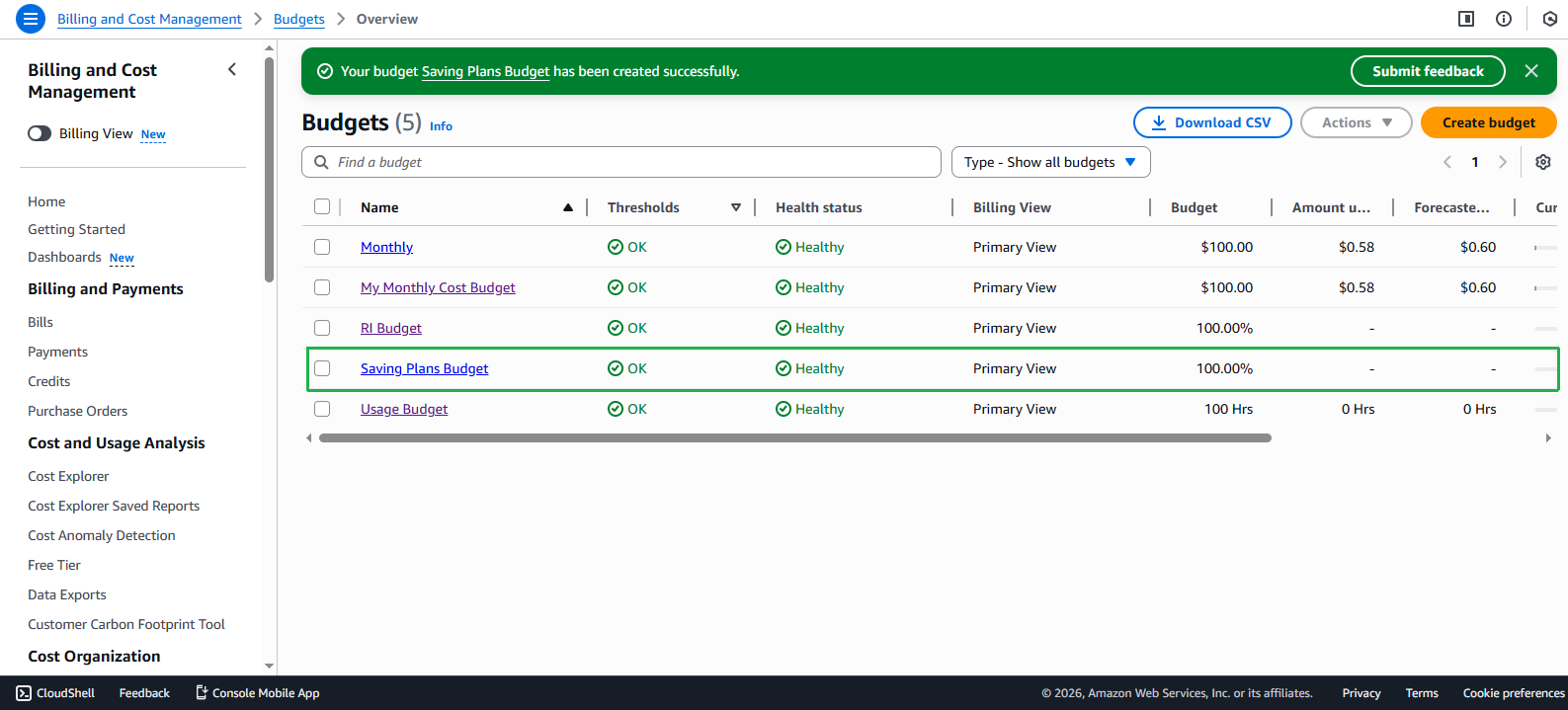
After successful creation, you will see a confirmation message.
Check the created budget details in the budgets list.
💡 Pro Tip: Savings Plans Budget helps you monitor your Savings Plans commitment utilization and ensure you’re maximizing your savings. Setting alert thresholds at 80-90% will give you time to adjust before reaching maximum utilization.
ℹ️ Information: AWS Savings Plans provide flexible pricing models with up to 72% savings compared to On-Demand pricing, in exchange for committing to a consistent amount of compute usage (measured in USD/hour) for a 1 or 3-year term.