Create Usage Budget
Overview
In this section, you will practice creating a Usage Budget - a tool that helps you monitor and control your AWS resource usage.
ℹ️ Information: If you have already completed the Create Cost Budget section, you will find that the Usage Budget creation process is very similar, with one main difference: Cost Budget operates based on costs, while Usage Budget operates based on resource usage.
Initialize Usage Budget
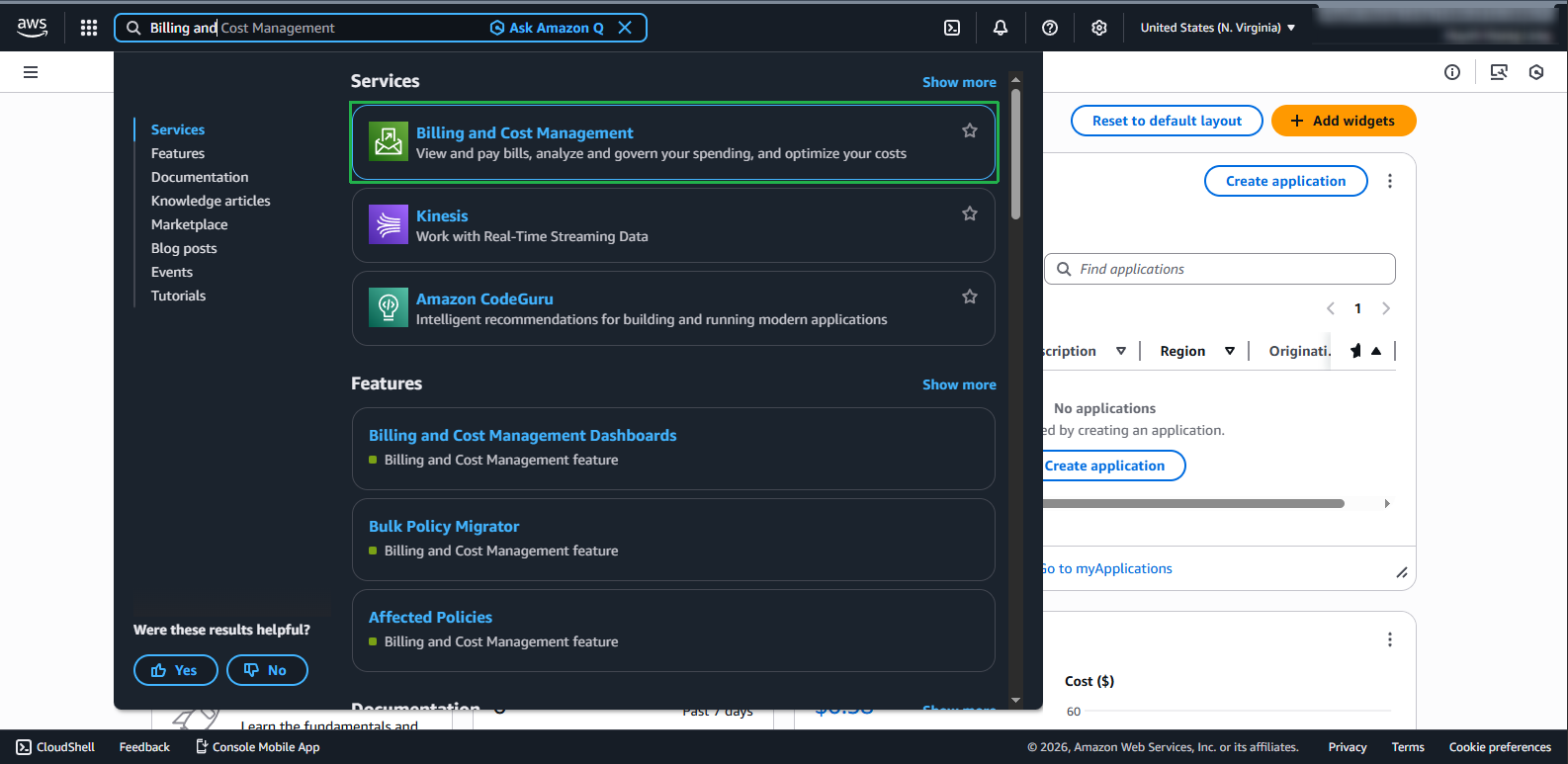
- Log in to AWS Management Console and find Billing and Cost Management service in the search bar.
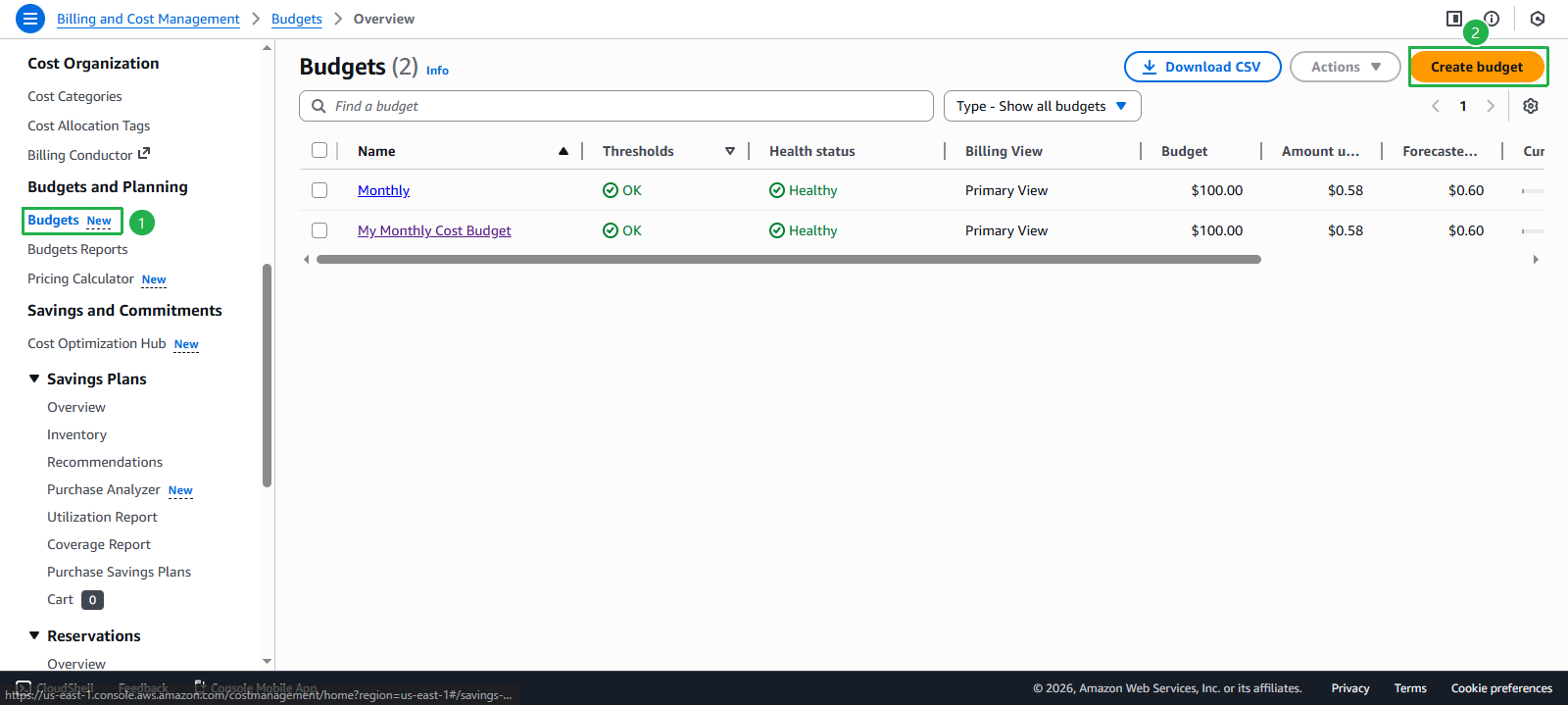
- On the management page, select Budgets from the left menu. Click the Create budget button.
Set up Budget Configuration
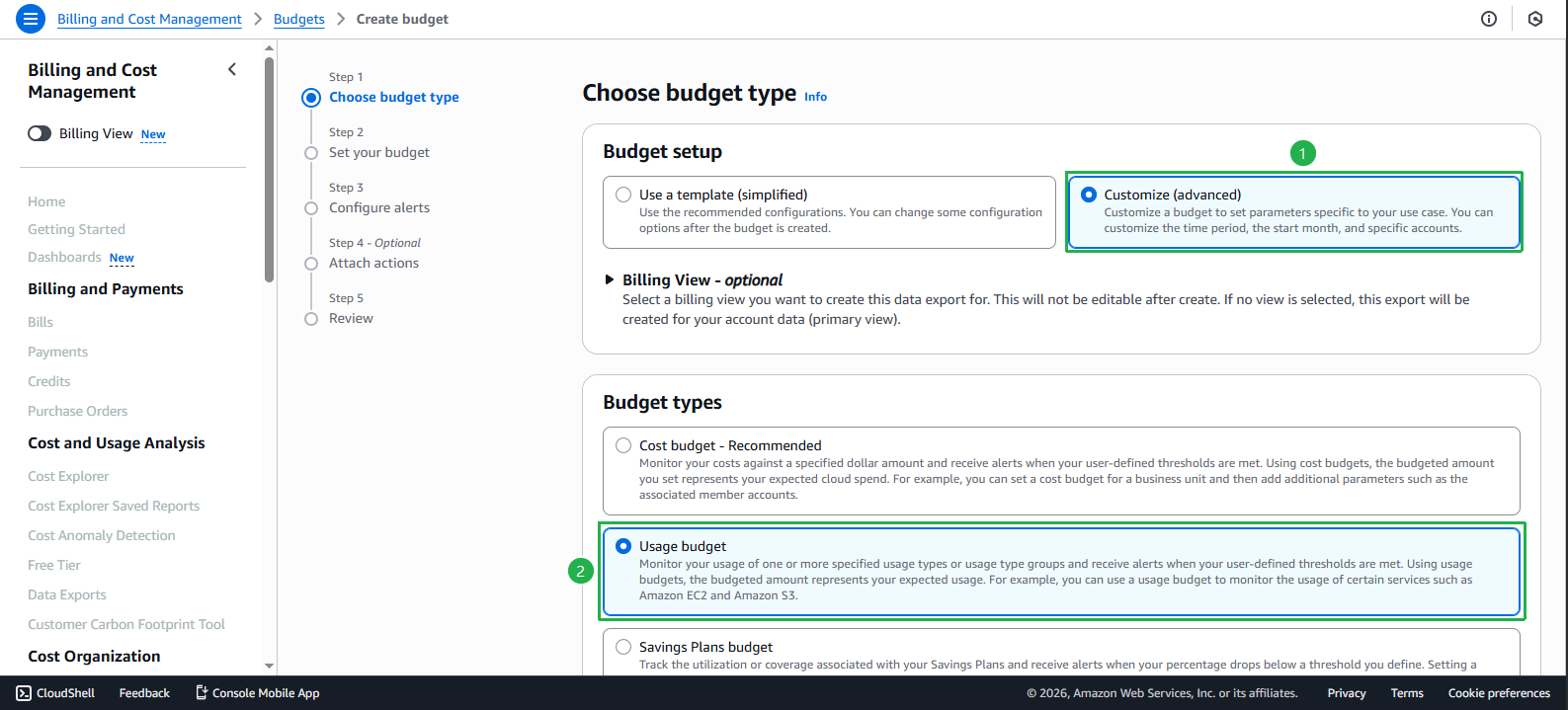
- In the Budget setup section:
- Select Customize
- Under Budget types, select Usage budget
- Click Next
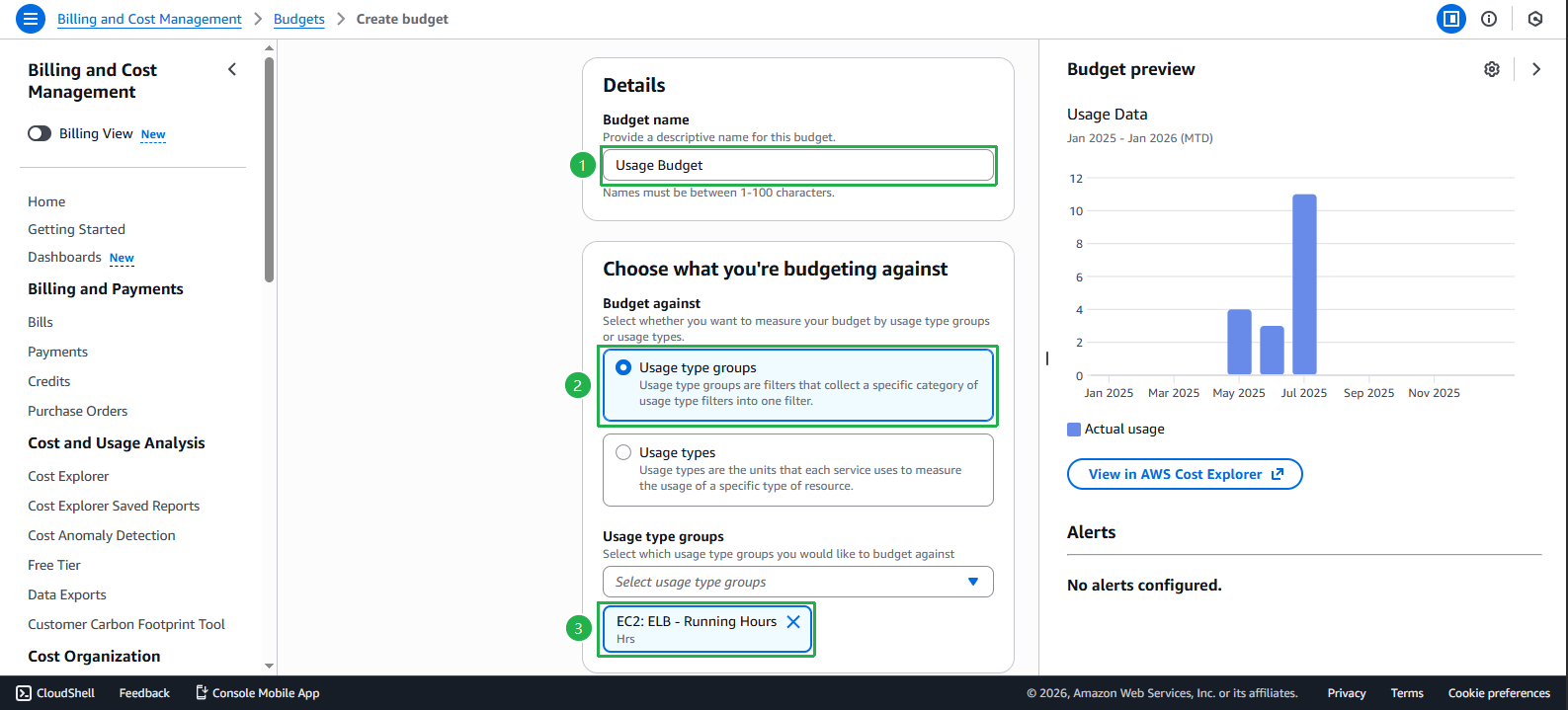
In the Set your budget interface:
- Under Budget name, enter a name for your budget
In the Budget against section:
- Select Usage type groups
- Select EC2: ELB - Running Hours to monitor the running hours of EC2 instances
- Configure Set budget amount:
- Period: Choose the time period for Budget (Daily/Monthly/Quarterly/Annually)
- Budget renewal type: Choose budget renewal type (Recurring/Expiring)
- Budgeting method: Choose budgeting method (Fixed/Planned)
- Enter the maximum usage hours you want to limit
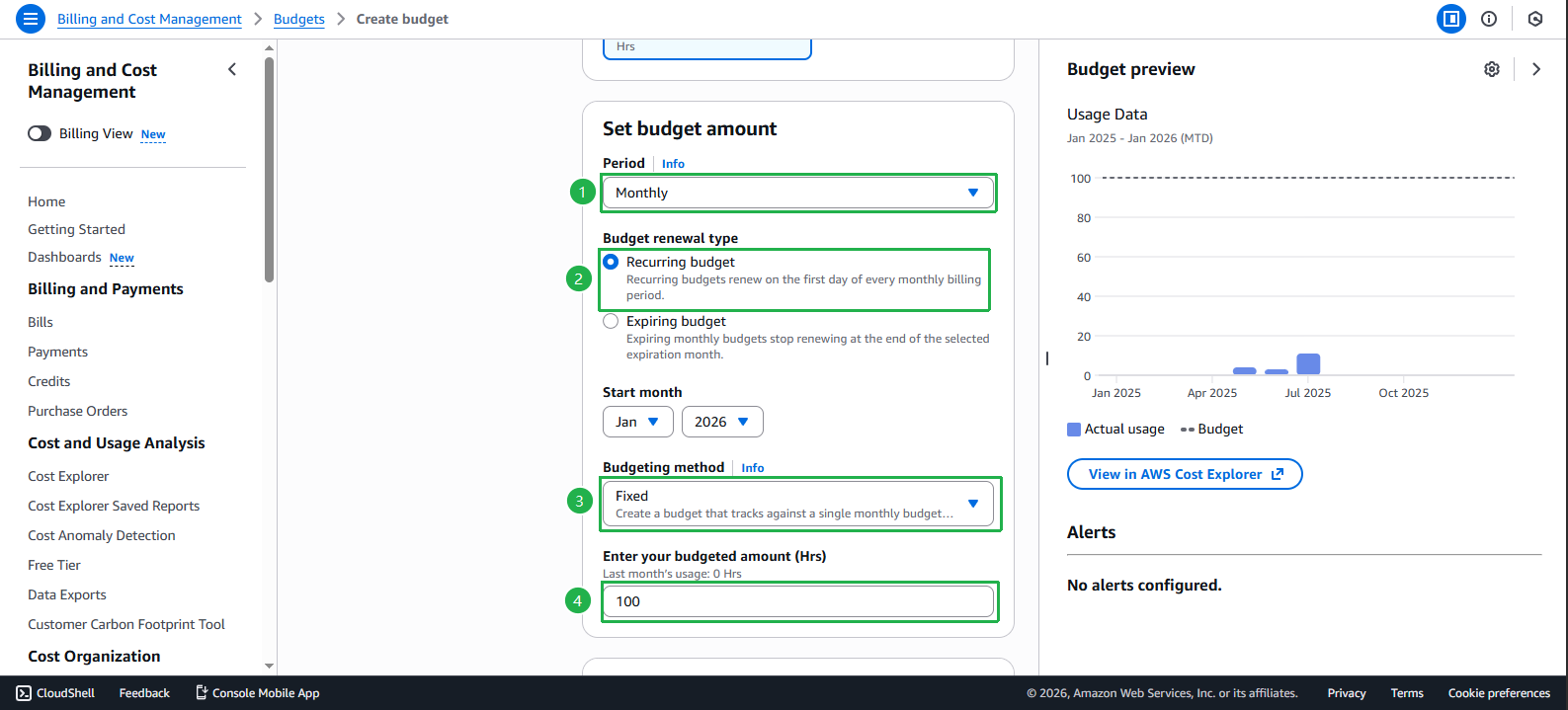
- In the Budget scope section, keep the default settings and select Next.
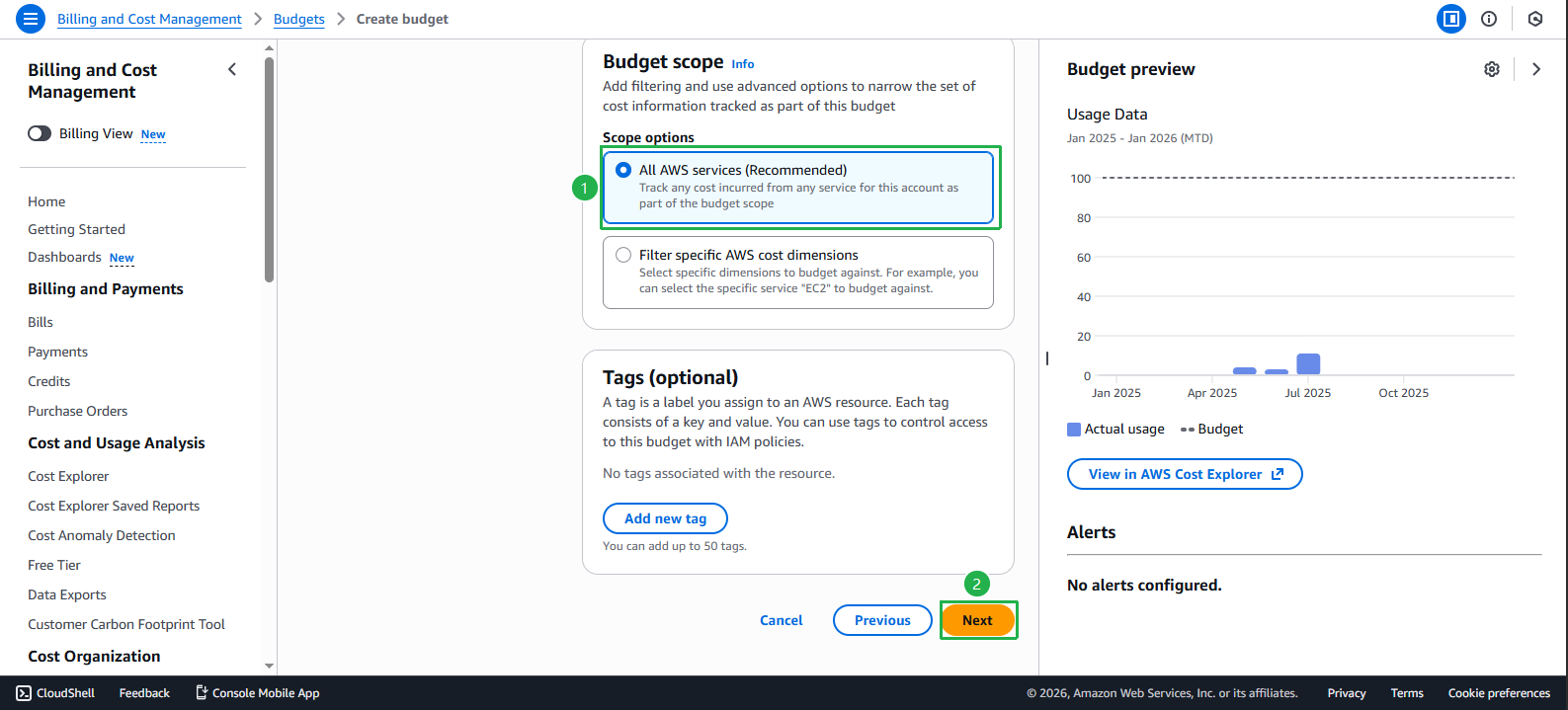
Set up Alerts
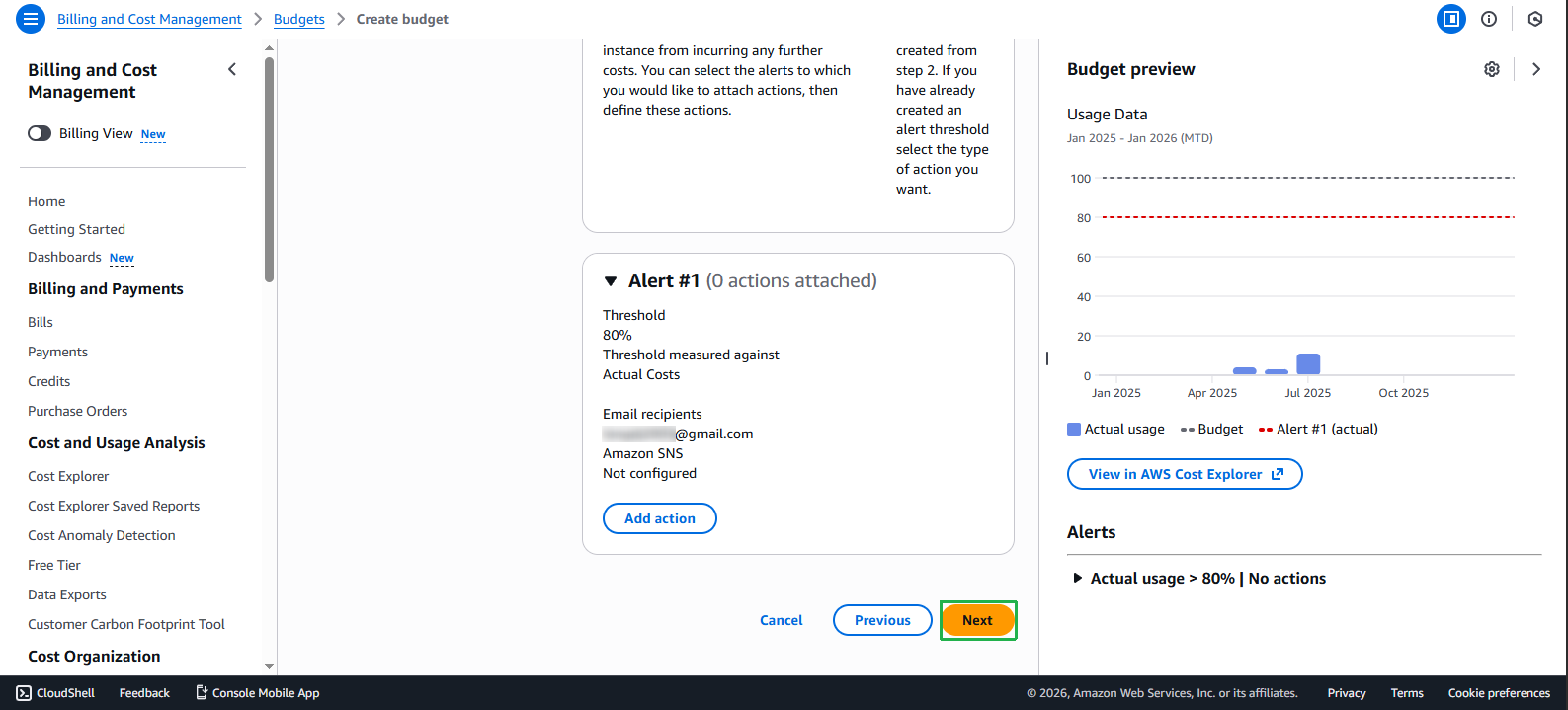
- In the Configure alerts section, select Add an alert threshold to set alert thresholds.
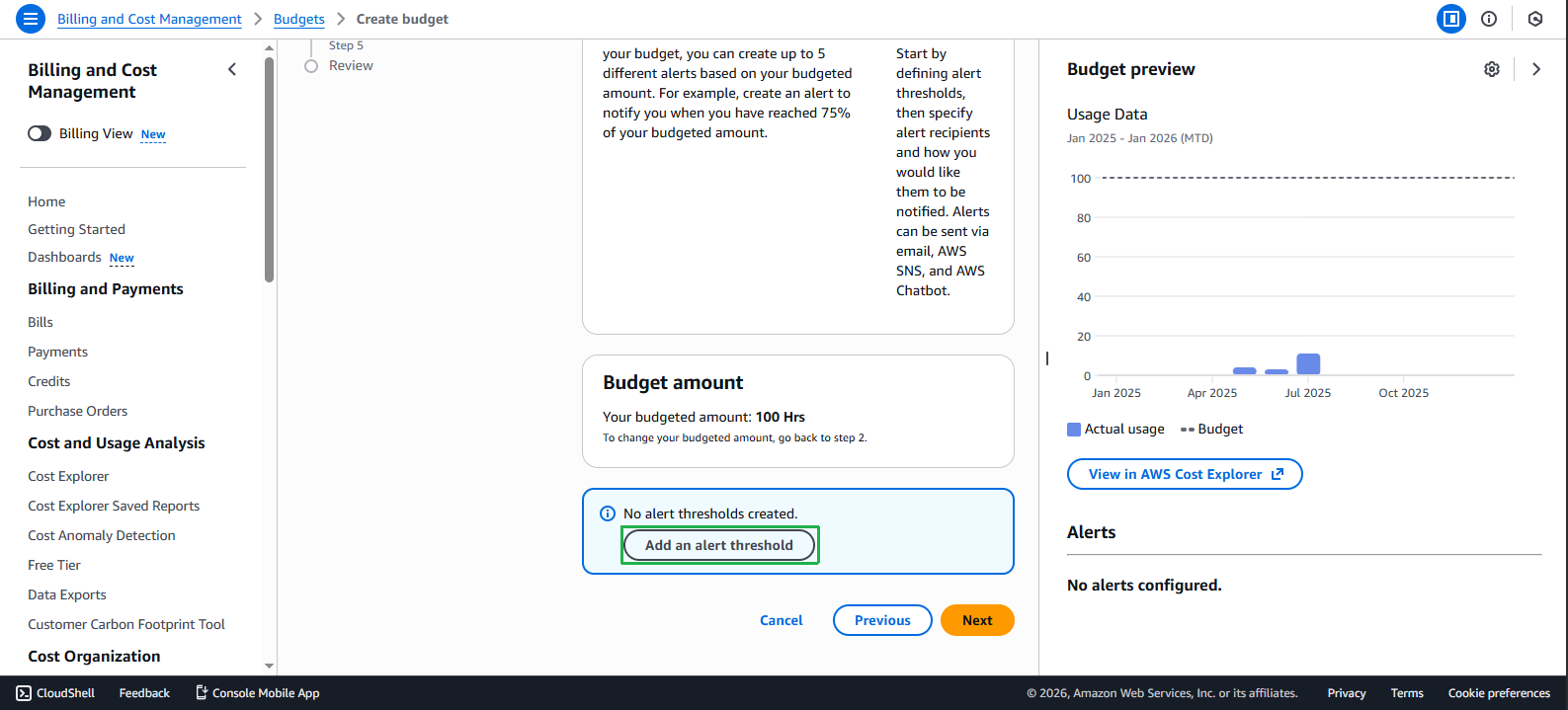
- Complete the Alert information:
- Set alert threshold (% of budget)
- Add email address to receive notifications when threshold is exceeded
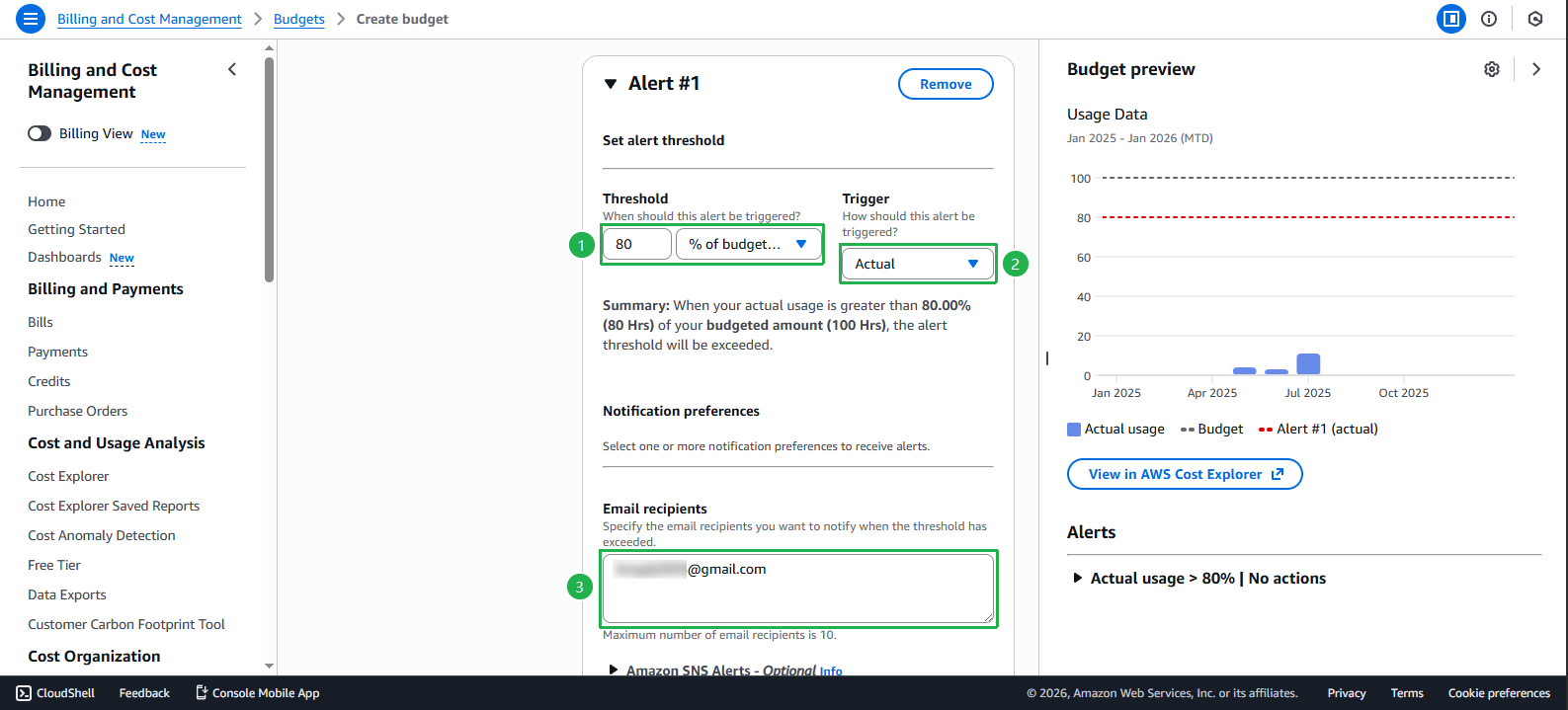
- Click Next to continue.
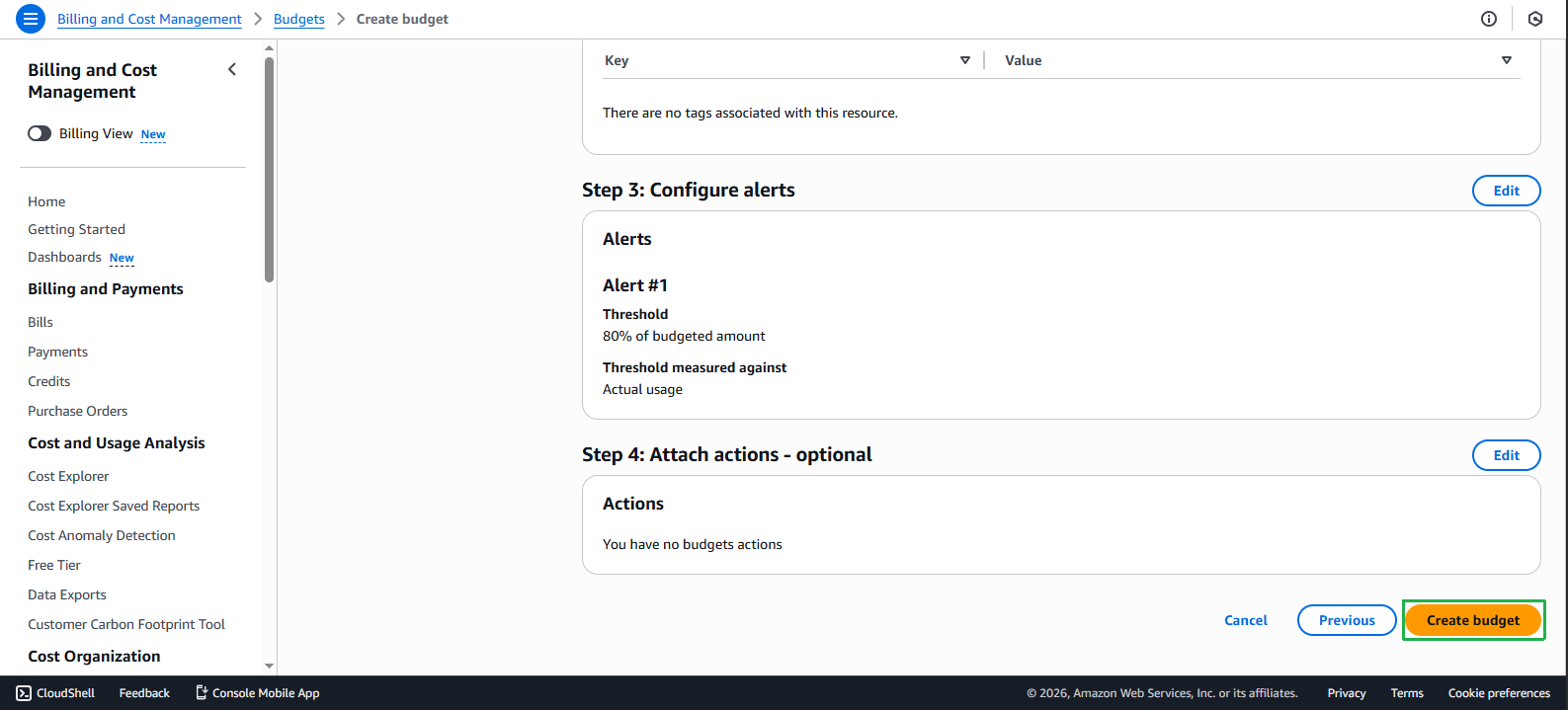
- Review the settings and select Create budget to complete.
View and Manage Budget
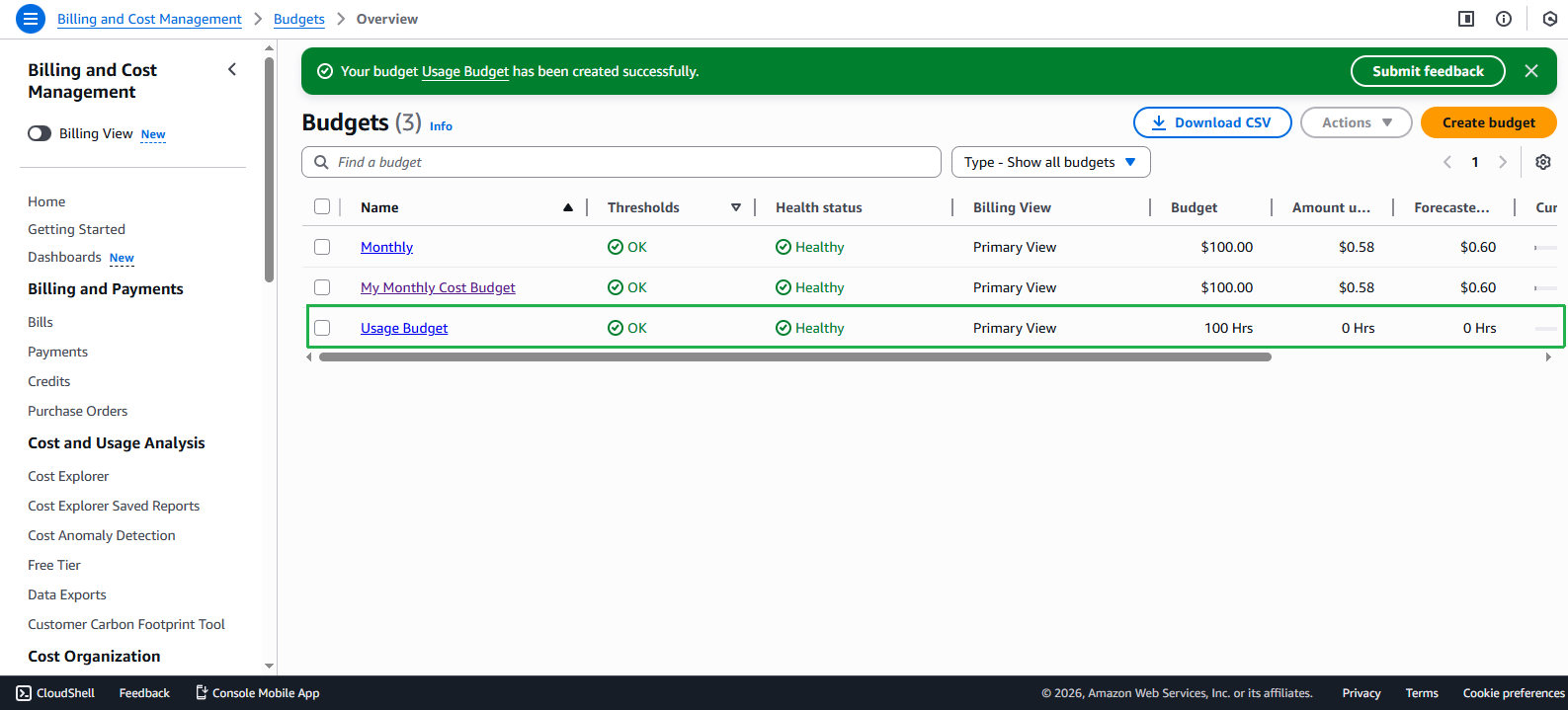
- After successful creation, you will see the new budget in the list.
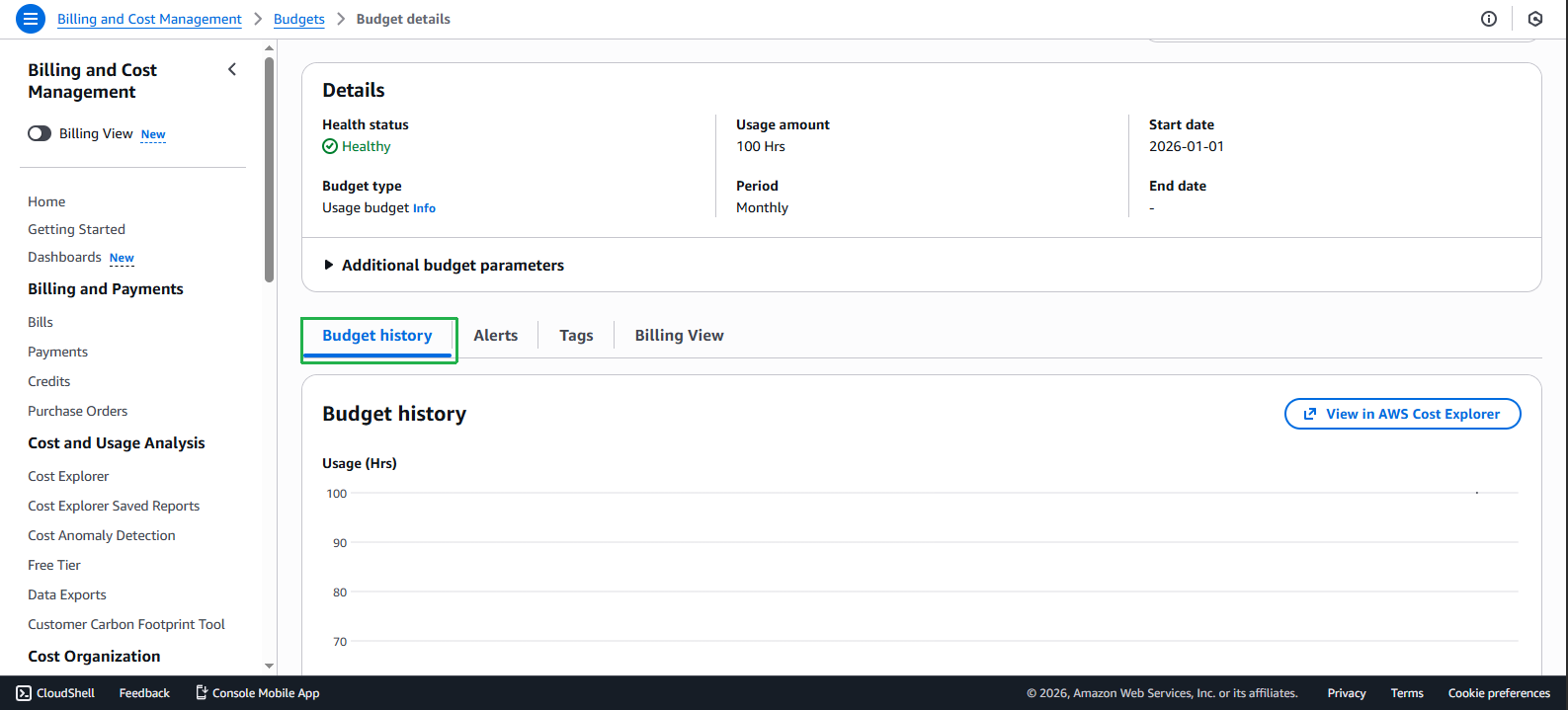
- Check Budget health to monitor current usage compared to the set budget.
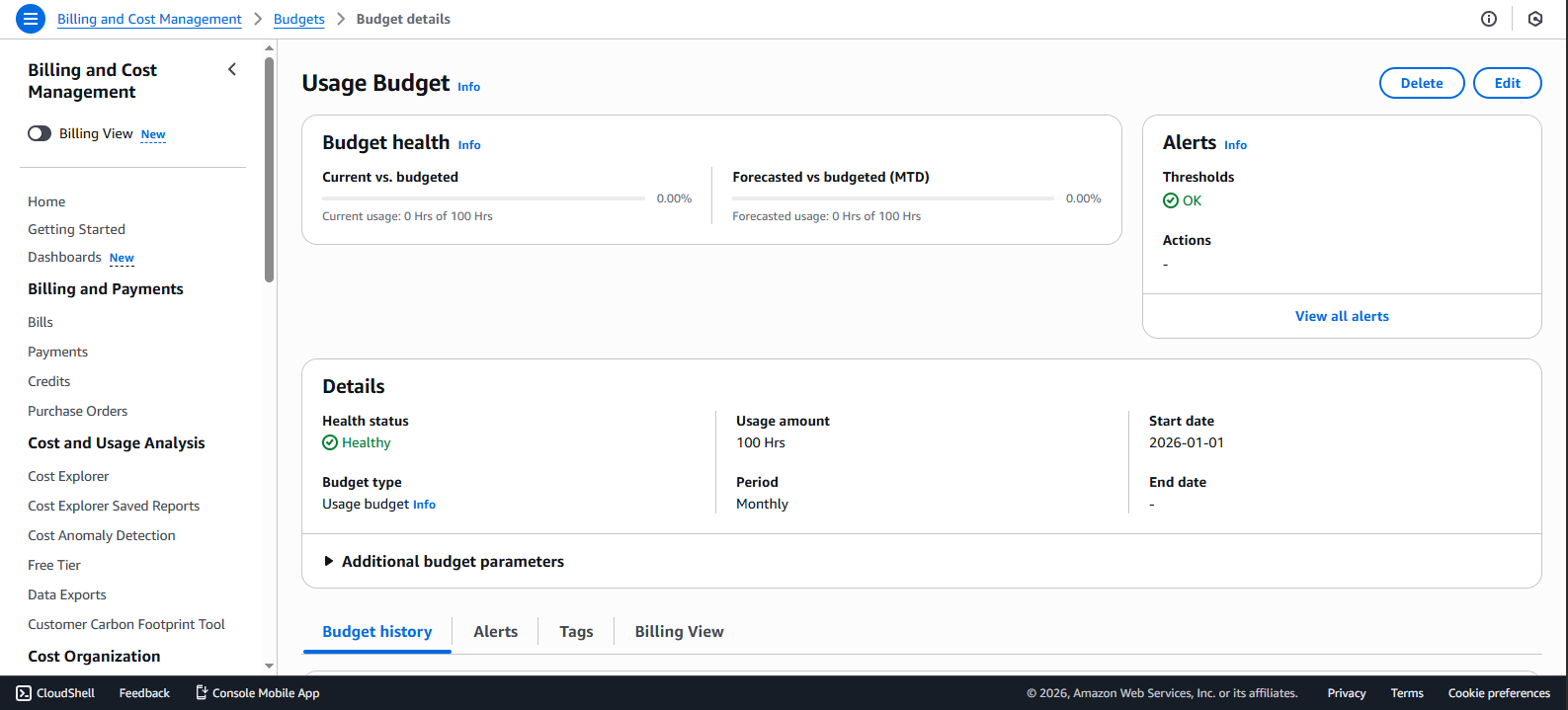
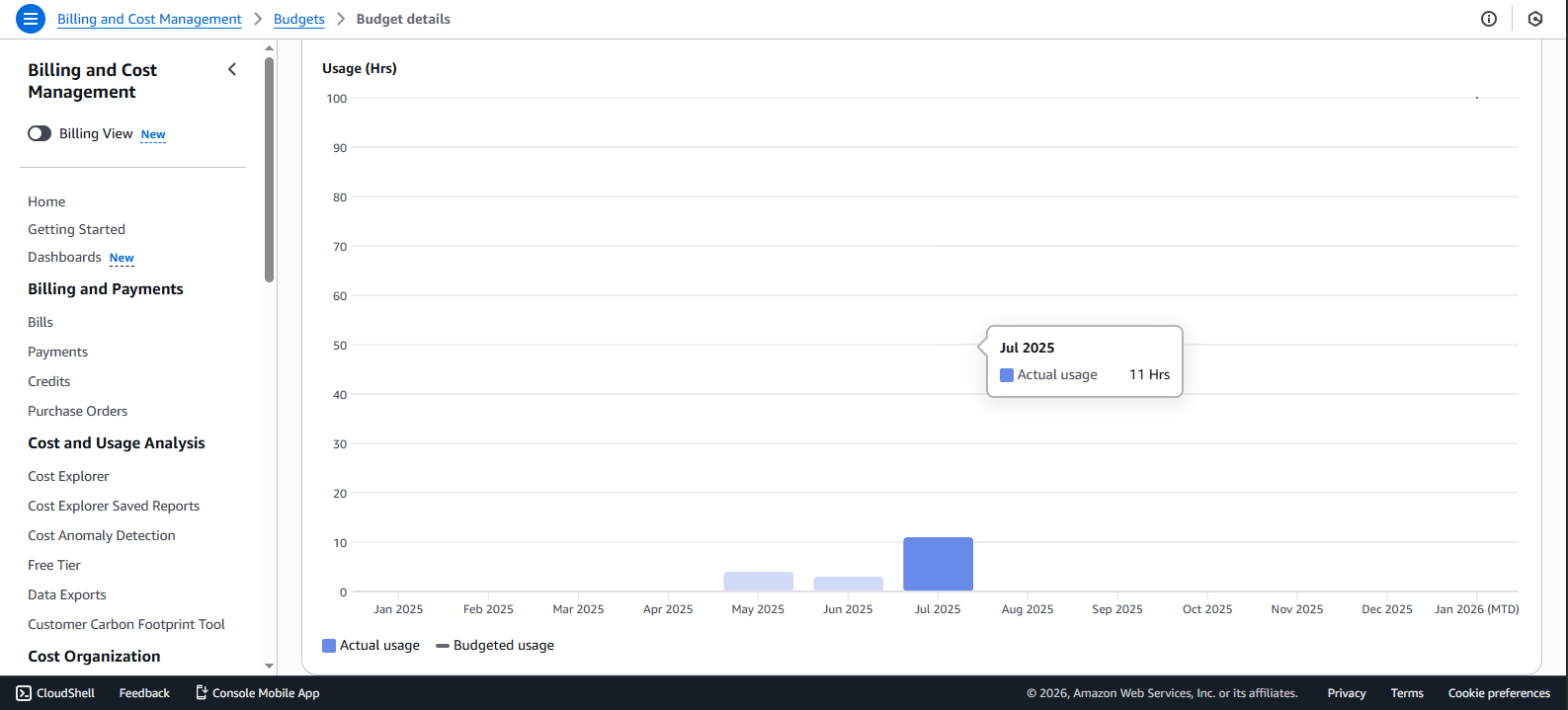
- View Budget history to track usage trends over time.
💡 Pro Tip: Use Usage Budget to monitor and control AWS resource usage, especially hourly-billed services like EC2. This helps you avoid exceeding expected usage and control costs more effectively.
🔒 Security Note: Ensure only personnel responsible for cost management receive budget alert notifications to avoid leaking sensitive financial information about the organization.